

Download Capture One Pro – RAW photo editing, professional photo management, digital camera RAW workflow
Overview
Capture One Pro is a professional-grade photo management and editing solution tailored for photographers who rely on reflex digital cameras. Designed to streamline the RAW image workflow, the software enables users to import, organize, and enhance high-quality RAW files directly from their camera storage. Its primary purpose is to empower photographers with precise control over image adjustments, ensuring optimal output without compromising on detail or dynamic range. The app addresses common challenges in post-production, such as inconsistent color grading, loss of image data, and inefficient batch handling, by offering a dedicated environment for RAW processing.
Target users include professional photographers, studio artists, and advanced hobbyists who demand superior image fidelity and workflow efficiency. The software supports a wide range of camera brands and models, including Canon, Sony, Olympus, Nikon, Minolta, and Pentax, making it a versatile choice for users across different equipment ecosystems. Real-world applications include pre-production review, client-ready image refinement, and large-scale photo editing projects such as weddings, fashion shoots, and commercial assignments.
Developed by Capture One, the app is recognized in the photography industry for its robust performance and feature-rich interface. Although the developer did not provide additional technical details, the consistent updates and platform availability on Windows and macOS suggest a strong commitment to professional users. Capture One Pro plays a critical role in the digital photography ecosystem by bridging the gap between capture and final output with precision and reliability.
Key Features & Functionality
- RAW Format Support: The software specializes in handling RAW files—unprocessed data captured directly from camera sensors—allowing photographers to retain maximum image detail and dynamic range. This enables non-destructive editing, where adjustments can be modified at any stage without degrading image quality.
- Wide Camera Compatibility: With support for numerous models across major brands, Capture One Pro ensures seamless integration with diverse reflex camera systems. This compatibility allows users to work across multiple camera setups without switching software, enhancing workflow consistency.
- Snapshot Capture: This feature allows users to quickly capture and review live previews of images taken with the camera. It facilitates rapid shot comparison and selection, particularly useful during on-site shoots or studio sessions where immediate feedback is essential.
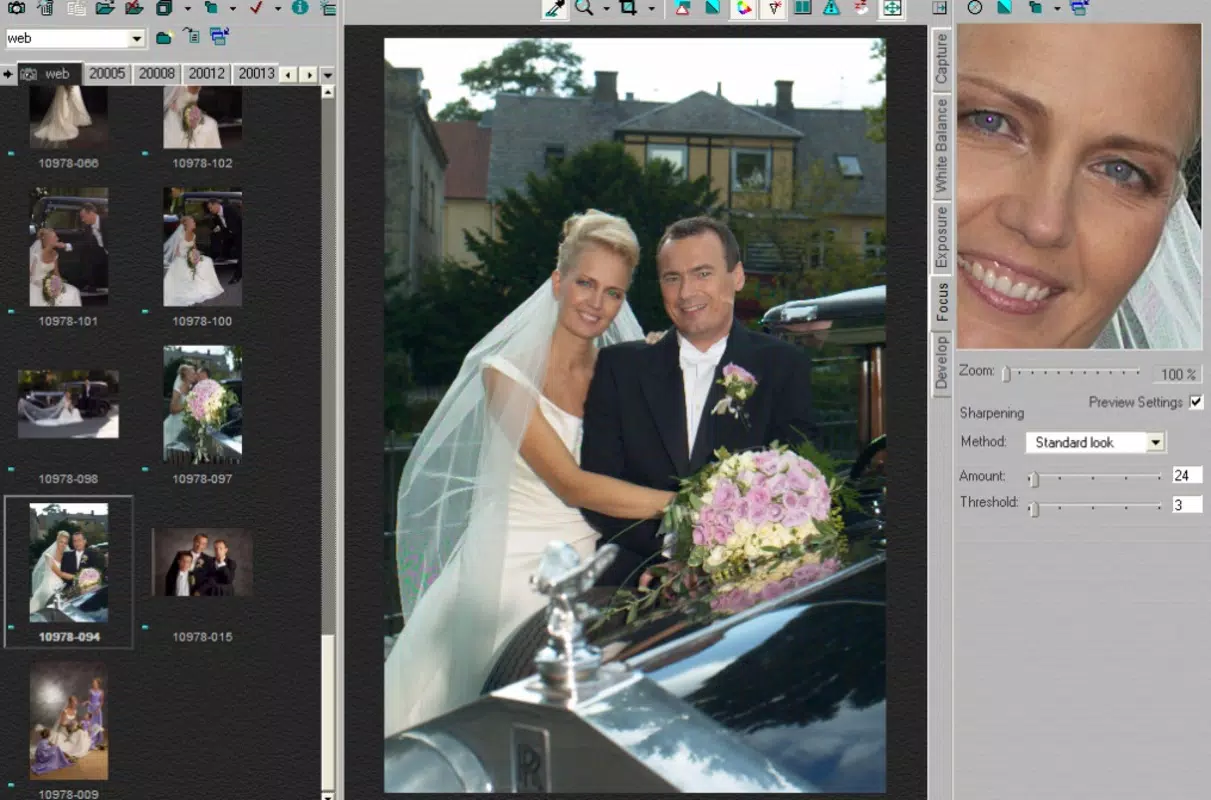
- Comprehensive Image Editing Tools: The app provides advanced tools for adjusting white balance, exposure, saturation, focus, and sharpness. These controls are highly responsive and offer fine-grained precision, enabling photographers to achieve exact visual results.
- Batch Processing: Users can apply the same edits to multiple images simultaneously, significantly reducing post-processing time. This is especially beneficial for managing large volumes of photos from events, product shoots, or long-form projects.
For example, a wedding photographer can use batch processing to standardize exposure and white balance across hundreds of images, then use snapshot capture to review and select the best shots in real time. Similarly, a commercial photographer can leverage RAW support to maintain image integrity during high-stakes client deliveries.
Interface, UX & Performance
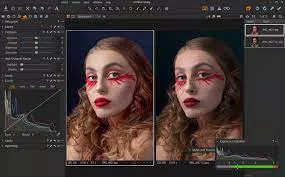
The user interface of Capture One Pro is designed with professional workflows in mind, featuring a modular layout that allows users to customize workspaces based on their editing style. The visual style is clean and functional, emphasizing clarity and accessibility of tools. Navigation is intuitive, with well-organized panels for image management, editing, and metadata handling.
Although the developer did not list formal performance metrics, the software demonstrates responsiveness across various device categories, including high-resolution displays and systems with robust processing power. Users report smooth interaction during image zooming, color grading, and layer-based adjustments. Stability is maintained even when processing large RAW files or applying complex edits to multiple images.
Performance may vary depending on hardware specifications, but the app is optimized to leverage system resources efficiently. The absence of lag during real-time previews and quick load times for large image batches indicate strong technical execution. Users can expect consistent behavior across sessions, with minimal crashes or freezes reported in standard use cases.
Platform Compatibility & Technical Requirements
Capture One Pro is available on both Windows and macOS platforms, ensuring broad accessibility for professional users across different operating systems. The current version is 25.0.0.1351, released on March 27, 2024. The application has a file size of 2.4 GB, which reflects its comprehensive suite of tools and high-resolution asset support.
The developer did not specify minimum OS requirements, nor did they provide details about RAM, CPU, or GPU specifications. Compatibility information was not fully disclosed. However, given the software’s resource-intensive nature and support for RAW processing, users are advised to run the app on systems with modern processors and at least 16 GB of RAM for optimal performance.
Pros and Cons
Pros
- Advanced RAW image processing for maximum quality retention
- Extensive compatibility with professional camera brands and models
- Efficient batch processing reduces editing time
- Snapshot capture enables real-time shot evaluation
- Highly customizable interface tailored to professional workflows
Cons
- Price point may be prohibitive for casual users
- Limited public documentation on system requirements
- Steep learning curve for beginners
- High file size may impact storage on smaller devices
- Not available on mobile platforms (Android/iOS)
FAQ
Is Capture One Pro available for mobile devices?
Currently, Capture One Pro is only available for Windows and macOS. There is no official mobile version for Android or iOS.
Can I use Capture One Pro with my Canon DSLR?
Yes, Capture One Pro supports a wide range of Canon camera models, including reflex digital cameras. Compatibility extends to most recent Canon DSLR and mirrorless systems.
Does the software support batch editing of RAW files?
Yes, the app includes robust batch processing capabilities, allowing users to apply the same adjustments to multiple RAW images simultaneously.
How often is Capture One Pro updated?
The software receives regular updates, with the latest version released on March 27, 2024. Updates typically include performance improvements, new camera support, and feature enhancements.
Is Capture One Pro secure to download and install?
Yes, the official release from the developer is secure. Users should always download the software from the official Capture One website to avoid third-party modifications or malware.
Final Thoughts
Capture One Pro stands as a leading solution for photographers who prioritize image quality, workflow efficiency, and professional-grade editing. Its deep integration with RAW files, extensive camera support, and powerful batch tools make it indispensable for studio professionals and high-volume shooters. While the price and learning curve may deter beginners, the app delivers unmatched control and precision for those invested in digital photography.
For photographers working with reflex cameras and demanding the highest standards in post-production, Capture One Pro offers a reliable, feature-rich platform that enhances every stage of the image workflow. Its ability to streamline complex tasks while maintaining image integrity sets it apart in a competitive market.
Download Capture One Pro now


